
The post has been translated automatically. Original language: Russian




GitHub has released version 1.18.0 of the GitHub Copilot plugin for the JetBrains IDE.
The update significantly expands the capabilities of agent mode and makes working with AI inside the IDE more autonomous.
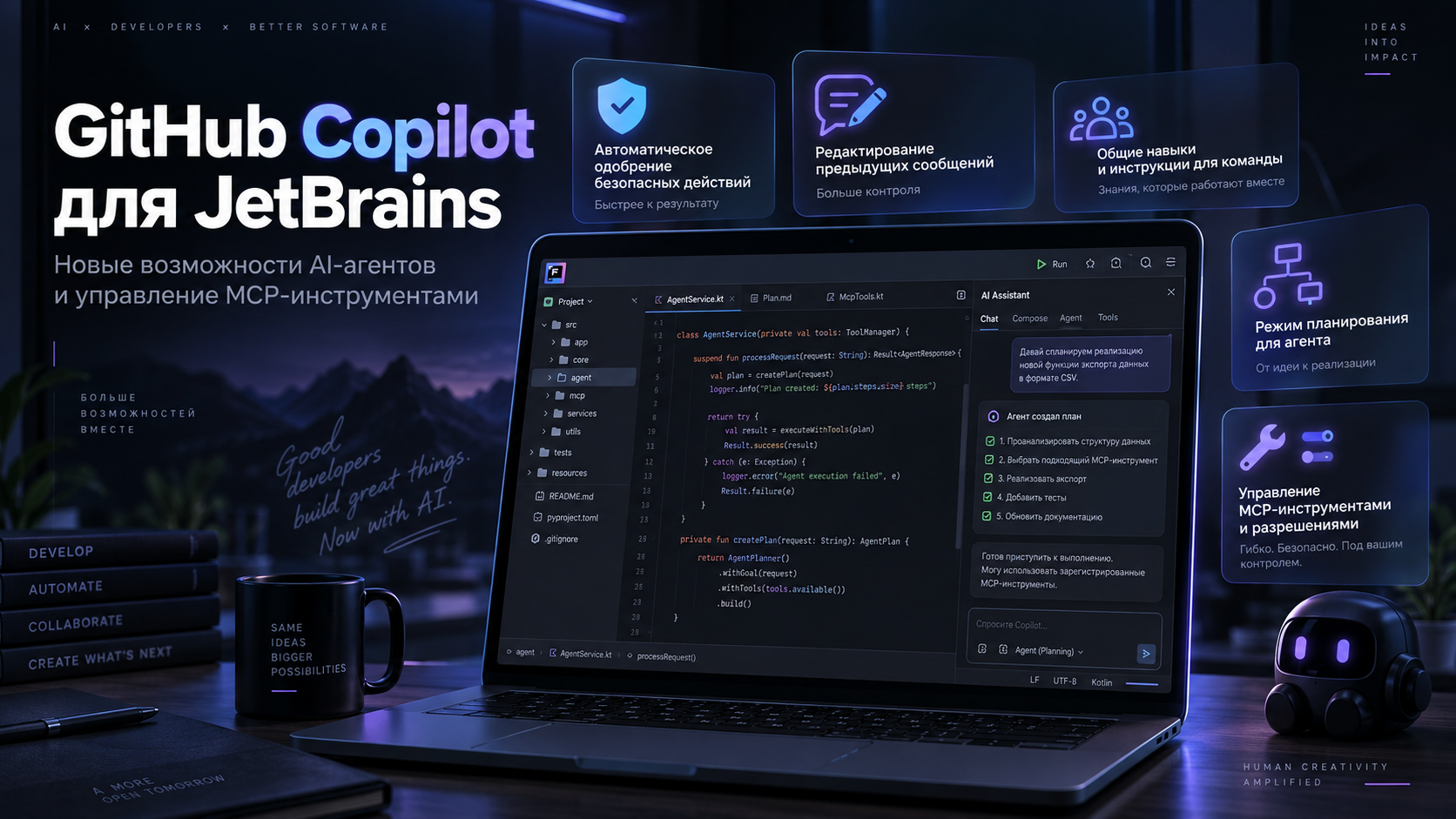
One of the main innovations is the AI—assisted tool approvals feature, which is currently available in public testing mode.
When working with agents, Copilot can now automatically confirm some low-risk actions.
Previously, the developer had to manually allow significantly more operations.
However, potentially dangerous actions that can change the project or environment still require manual confirmation.
This approach allows you to reduce the number of unnecessary dialogues with Copilot, without giving the agent full control over the project.
Another useful change is the ability to edit already sent messages in the Copilot Agent.
Now the developer can return to the previous request and change its wording.
After editing, Copilot returns the status of the dialog and file changes to the moment that preceded this message.
This allows you to change the direction of the agent's work without creating a new session.
This feature may be especially useful when working with long tasks, where the agent has already received a large amount of context.
Changes have also appeared for team development.
Local sessions and Copilot Agent now support skills and user instructions at the organization or enterprise level.
This allows companies to set uniform rules for the work of AI agents for different projects and developers.
This can reduce the number of repetitive settings and simplify the standardization of work with Copilot within the team.
A separate scheduling mode has been added to Codex Agent.
Before making changes, the agent can first create a task solution plan.
The developer can study this plan, adjust it, or confirm it, and only then will the agent proceed to change the code.
This scenario provides additional control over complex tasks and allows you to understand the intended sequence of actions in advance.
GitHub paid special attention to working with MCP tools.
A separate switch has appeared in the settings for the built-in GitHub MCP Server, which can be enabled and disabled independently of other MCP servers.
In addition, developers have received permanent permission settings for individual MCP tools and can determine which of them the agent will get access to.
The changes also affected the Copilot interface.
The chat can now be opened next to the list of sessions directly in the editor, and suggestions on commands, settings, and Copilot features have appeared above the input field.
GitHub has also simplified the chat start screen and made the settings of the embedded MCP Server more visible.
The new version has improved the stability of the built-in chat, the retention of changes after query execution, and the operation of the parameters of the depth of reasoning and the size of the context.
Problems with Codex sessions, multiple project windows, and embedded editors in IntelliJ 2026.3 EAP have also been fixed.
JetBrains IDE 2025.1 is still supported for users, but GitHub is already warning about the need to upgrade to at least version 2026.1 in the future.
In general, the update shows that Copilot is gradually turning from an ordinary AI assistant for writing code into a full-fledged agent to whom more complex processes can be delegated, while maintaining control over its actions.
GitHub выпустил версию 1.18.0 плагина GitHub Copilot для IDE от JetBrains.
Обновление заметно расширяет возможности агентного режима и делает работу с AI внутри IDE более автономной.
Одно из главных нововведений — функция AI-assisted tool approvals, которая пока доступна в режиме публичного тестирования.
В режиме работы с агентами Copilot теперь может автоматически подтверждать некоторые действия с низким уровнем риска.
Раньше разработчику приходилось вручную разрешать значительно больше операций.
При этом потенциально опасные действия, способные изменить проект или окружение, по-прежнему требуют ручного подтверждения.
Такой подход позволяет уменьшить количество лишних диалогов с Copilot, не отдавая агенту полный контроль над проектом.
Еще одно полезное изменение — возможность редактировать уже отправленные сообщения в Copilot Agent.
Теперь разработчик может вернуться к предыдущему запросу и изменить его формулировку.
После редактирования Copilot возвращает состояние диалога и изменения файлов к моменту, который предшествовал этому сообщению.
Это позволяет изменить направление работы агента без создания новой сессии.
Особенно полезной функция может оказаться при работе с длинными задачами, где агент уже получил большой объем контекста.
Изменения появились и для командной разработки.
Локальные сессии и Copilot Agent теперь поддерживают skills и пользовательские инструкции на уровне организации или предприятия.
Благодаря этому компании могут задавать единые правила работы AI-агентов для разных проектов и разработчиков.
Это может сократить количество повторяющихся настроек и упростить стандартизацию работы с Copilot внутри команды.
В Codex Agent появился отдельный режим планирования.
Перед внесением изменений агент может сначала сформировать план решения задачи.
Разработчик может изучить этот план, скорректировать его или подтвердить, и только после этого агент приступит к изменению кода.
Такой сценарий дает дополнительный контроль над сложными задачами и позволяет заранее понимать предполагаемую последовательность действий.
Отдельное внимание GitHub уделил работе с MCP-инструментами.
В настройках появился отдельный переключатель для встроенного GitHub MCP Server, который можно включать и отключать независимо от других MCP-серверов.
Кроме того, разработчики получили постоянные настройки разрешений для отдельных MCP-инструментов и могут определять, к каким из них агент получит доступ.
Изменения затронули и интерфейс Copilot.
Чат теперь можно открыть рядом со списком сессий непосредственно в редакторе, а над полем ввода появились подсказки по командам, настройкам и возможностям Copilot.
GitHub также упростил стартовый экран чата и сделал настройки встроенного MCP Server заметнее.
В новой версии улучшили стабильность встроенного чата, сохранение изменений после выполнения запросов и работу параметров глубины рассуждения и размера контекста.
Также исправлены проблемы с сессиями Codex, несколькими окнами проекта и встроенными редакторами в IntelliJ 2026.3 EAP.
Для пользователей JetBrains IDE 2025.1 пока сохраняется поддержка, однако GitHub уже предупреждает о необходимости в будущем перейти как минимум на версию 2026.1.
В целом обновление показывает, что Copilot постепенно превращается из обычного AI-помощника по написанию кода в полноценного агента, которому можно делегировать более сложные процессы, сохраняя контроль над его действиями.

 Share
Share